

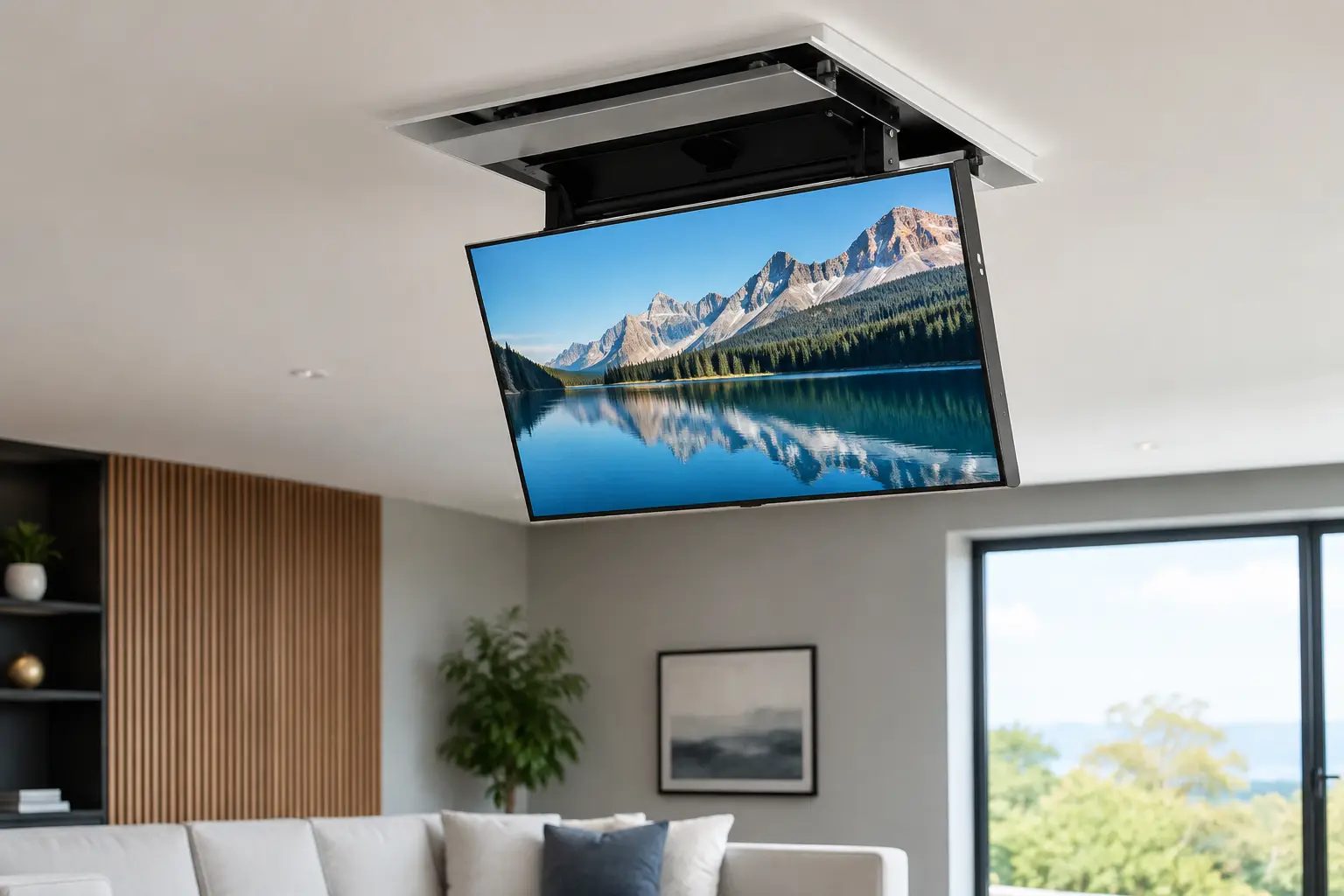
A ceiling-mounted TV can turn an awkward corner, a covered patio, or a bedroom with limited wall space into a comfortable viewing area. But unlike a standard wall installation, the television is hanging overhead. That is why understanding how ceiling TVs are mounted matters before anyone starts drilling. The goal is not simply to get the screen off the floor. It is to create a secure, properly positioned setup that stays stable and looks intentional.
How Ceiling TVs Are Mounted Safely
Ceiling TVs are mounted with a specialized ceiling mount that attaches to solid structural framing above the ceiling surface. The mount typically includes a ceiling plate, heavy-duty lag bolts, an adjustable pole or drop-down arm, and a bracket that connects to the back of the TV.
The ceiling plate is the foundation of the installation. It must be fastened into a wood joist, steel framing designed to support the load, or another approved structural support. Drywall alone cannot safely hold a television, even when heavy-duty anchors are used. The combined weight of the TV and mount can place a constant downward load on the ceiling, and movement from adjusting the screen adds more stress over time.
Once the mounting location is confirmed, the installer attaches the ceiling plate, assembles the pole or arm, and secures the TV bracket to the television’s VESA mounting holes. Most quality ceiling mounts allow the screen to tilt, swivel, or rotate. Those adjustments help position the TV at a comfortable angle after it is hanging.
This sounds straightforward, but every room introduces variables: ceiling height, framing direction, light fixtures, fans, cable locations, and the way people will view the screen. A secure installation begins with checking all of those details, not with choosing a spot that merely looks good from the floor.
The Ceiling Structure Comes First
The most important step is locating the framing that can support the load. In many Texas homes, that means finding a ceiling joist using a stud finder and confirming its position carefully before drilling. Joists may run in different directions depending on the room and construction, so assumptions can lead to unnecessary holes or an unsafe placement.
A professional installer also considers the condition of the structure. A joist that is easy to locate is not automatically the right mounting point if it places the screen too close to a fan, too low over a walkway, or far from the intended seating area. Sometimes the best solution is a mount with an adjustable drop pole. In other cases, a different location or a wall mount may be safer and more practical.
Vaulted, sloped, and high ceilings need additional planning. Many ceiling mounts are designed only for flat ceilings, while others include adapters for angled surfaces. Using a flat-ceiling mount on a sloped ceiling can leave the TV hanging at the wrong angle or create uneven stress on the hardware. The mount must be rated for both the weight of the TV and the ceiling style.
Choosing a Mount That Matches the TV and Room
Not every ceiling mount fits every television. The mount needs to match the TV’s size, weight, and VESA pattern, which is the spacing of the threaded mounting holes on the back of the screen. A mount may look similar to another model but have a lower weight limit or a bracket pattern that will not fit your TV.
Drop length is just as important. A TV mounted too close to a high ceiling can be difficult to see, especially from a bed or seating area. A screen hung too low can interfere with doors, sightlines, or safe walking space. The right height depends on where viewers will sit or stand, whether the TV needs to clear furniture, and whether the screen will be angled downward.
For a bedroom, a mount with tilt adjustment can direct the screen toward the bed without placing it excessively low. In a home gym or garage, a swiveling mount may let you view the screen from multiple workout zones. For patios, the screen needs an appropriate outdoor-rated TV or enclosure, plus a location protected from direct rain, heat, and glare. The best setup depends on the room, not just the TV size.
Mounting the TV Step by Step
A careful ceiling TV installation generally follows a clear sequence. First, the installer evaluates the room and confirms the viewing location. This includes measuring ceiling height, checking for obstructions, identifying the framing, and deciding where power and entertainment connections will go.
Next, the ceiling plate is positioned and leveled at the selected structural support. Pilot holes are drilled into the joist, and the plate is secured with the manufacturer-approved lag bolts or hardware. The hardware should be tightened to the required specification, not guessed at or overtightened.
The TV bracket is then attached to the back of the television using the correct screws and spacers. Using screws that are too long can damage internal TV components. Screws that are too short may not provide enough engagement to hold the screen securely.
After the pole or arm is attached to the ceiling plate, the TV is lifted into place and locked onto the mount. This is usually a two-person job, particularly with larger screens. The installer checks the locking mechanism, balances the screen, adjusts the tilt and swivel, and verifies that the assembly does not shift under normal movement.
Before the job is finished, the TV is powered on, inputs are tested, cords are secured, and the viewing angle is checked from the actual seating area. Small adjustments at this stage can make a major difference in comfort.
Power and Cable Management Need a Plan
A clean ceiling TV installation requires more than a strong bracket. It also needs a safe plan for power and cables. HDMI cords, streaming devices, antenna cables, and power connections should not hang loosely where they can pull on the TV, create a visual distraction, or become snagged.
In some rooms, cables can be routed through a cord cover or along the mount’s integrated cable channel. In others, homeowners may prefer in-wall or in-ceiling cable routing for a cleaner appearance. Electrical work has different safety and code requirements than low-voltage cable management. If a new outlet is needed near the TV, it should be installed by a qualified electrician rather than relying on an extension cord run through a wall or ceiling.
This is especially relevant for installations above beds, in kitchens, and on patios, where cable placement can affect both appearance and day-to-day safety. Planning power before the mount goes up helps avoid a finished TV that still has cords draped across the room.
Common Mistakes That Put a Ceiling TV at Risk
The biggest mistake is attaching a ceiling mount to drywall instead of framing. Even if the installation seems stable at first, drywall is not designed to support the concentrated, moving weight of a television. The risk is damage to the ceiling, the TV, furniture below it, and anyone nearby.
Another common problem is choosing a mount based only on screen size. Weight capacity, VESA compatibility, drop length, and ceiling type all matter. A 55-inch TV can weigh very differently depending on the model, and soundbars or accessories may add more load.
Poor placement can also make an otherwise solid installation frustrating to use. A screen may be technically secure but too high, too close to a ceiling fan, or positioned where sunlight creates constant glare. Taking time to test the viewing area before drilling prevents costly repositioning later.
Finally, do not overlook access to ports and streaming equipment. If the TV’s HDMI ports are hard to reach once mounted, connecting a new device becomes an unnecessary project. Right-angle adapters, accessible cable routing, and a plan for streaming hardware can keep the setup convenient after installation day.
When Professional Installation Makes Sense
Ceiling TV mounting is not always a DIY-friendly project, particularly with large screens, high ceilings, angled ceilings, or uncertain framing. It requires safe lifting, precise measurements, appropriate hardware, and the judgment to stop when the structure or location is not suitable.
For homeowners and renters in Austin and Central Texas, Smart Solutions TX provides careful TV mounting support designed to remove the guesswork. Background-checked technicians can help assess the mounting location, secure the TV correctly, and leave the space ready to enjoy. A 90-day service guarantee adds reassurance after the installation is complete.
A ceiling-mounted TV should feel like a smart use of space, not a source of concern every time someone walks underneath it. With the right structure, hardware, placement, and professional care when needed, you can enjoy the view with confidence.